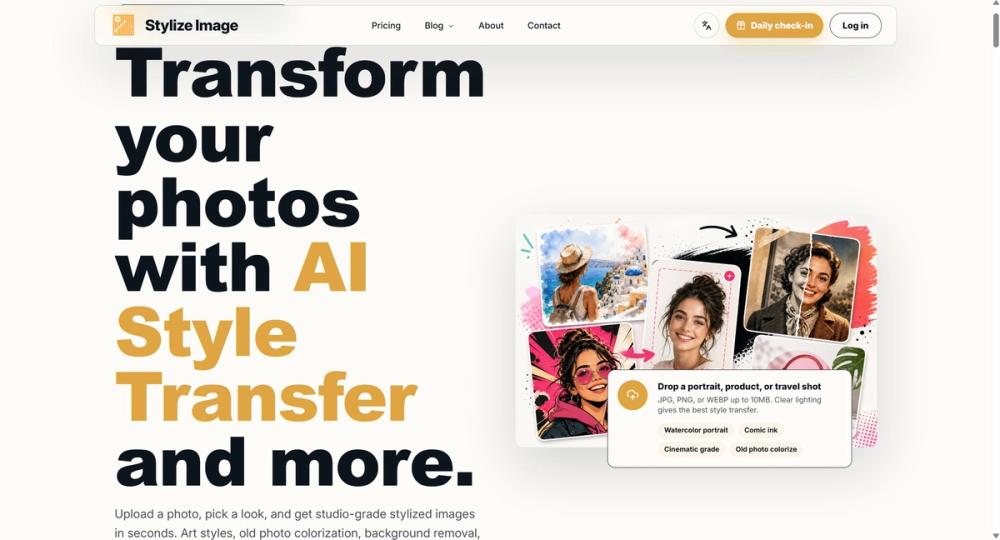
| How to Use | Upload a JPG, PNG, or WEBP image, choose a preset or write a short prompt, generate a preview, adjust the style if needed, then download the finished image. |
Key Features
- Style presets for portraits, products, and social images
- Prompt-based control for custom visual direction
- Background cleanup for product and profile photos
- Old photo colorization for restored family or archive images
- Image upscaling for cleaner downloads
- Consistent styling for catalogs, campaigns, and brand sets
Use Cases
- Create branded portraits for profiles and landing pages.
- Prepare product images with cleaner backgrounds.
- Build a matching set of social campaign visuals.
- Refresh old family, archive, or history photos.
- Test cover art ideas for blogs, ads, and newsletters.
FAQ
- Q: What is Stylize Image best for? A: It is best for styling photos and preparing clean visuals for web use. Common tasks include social images, product photos, portraits, covers, and restored old photos.
- Q: Can non-designers use it? A: Yes. The workflow is built around presets and short prompts. You do not need to learn a full editing suite to make a usable result.
- Q: Can the output be used for business? A: Business use depends on the rights to the original image and the plan you choose. For regular commercial work, check the paid plan terms and export limits.