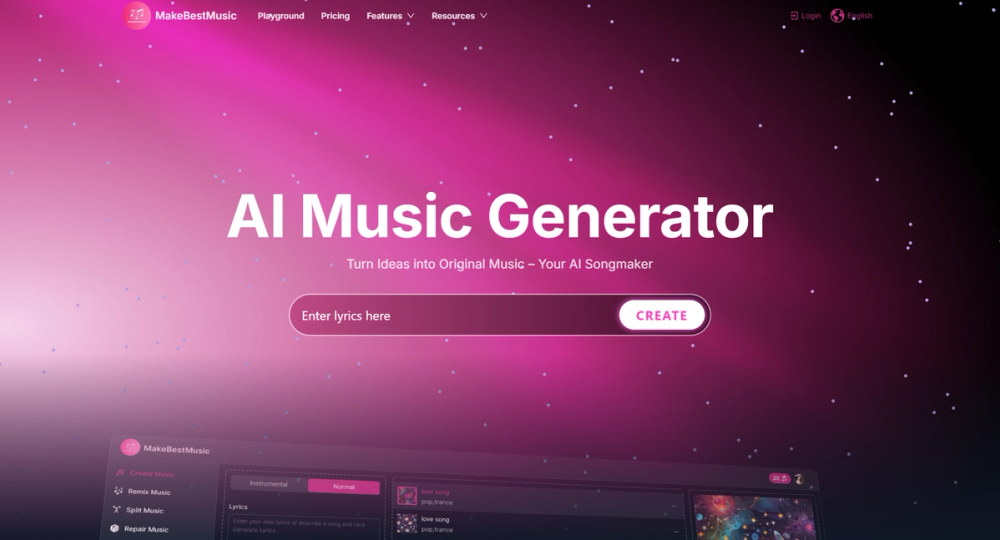
MakeBestMusic — AI Music Generator One-sentence introduction MakeBestMusic is an easy-to-use AI music generator. Users only need to describe their needs, lyrics or music style and the system will instantly create and generate AI songs, making it possible for music lovers and beginners to quickly produce the tracks they want.
Why Build an AI Music Generator?
- High Barriers in Traditional Music Creation Traditional music composition requires music theory, instruments, and arranging skills. Many music lovers have inspiration but lack the ability to express it. An AI song generator lowers the barrier, allowing anyone to simply describe and generate high-quality AI songs.
- Explosive Content Demand Information spreads rapidly, and social media platforms drive multi-modal content demand. Short videos, games, podcasts, and ads all require massive amounts of background music. Traditional composition cannot keep up, while an AI music generator can create and generate songs in multiple styles to meet diverse needs.
- Personalized Music Experience Users increasingly want personalized AI music, customized for their unique scenarios. Examples: upbeat AI songs for parties, electronic AI music for workouts, or warm melodies for weddings. An AI song maker can generate one-of-a-kind tracks based on user preferences and contexts.
Mission and Vision of MakeBestMusic Product Vision Make music creation as simple as expressing language. Empower everyone to create and generate AI music and realize their personal music dreams. Product Mission MakeBestMusic leverages cutting-edge AI song generator technology to revolutionize music creation and listening experiences. Using advanced machine learning, it brings creativity and precision to music composition, arrangement, and production. Key Goals Lower the barrier of music creation: Help people without musical training create songs with AI in one click. Boost efficiency: Provide fast, large-scale, low-cost AI music creation solutions for content industries and music enthusiasts. Inspire creativity: Offer music lovers and beginners an AI song maker tool that sparks new ideas and expands musical possibilities. Deliver new experiences: Enable real-time, adaptive, and personalized AI music generation for life, entertainment, and learning scenarios. Main Feature Create Music / AI Song Maker: Generate pure instrumental tracks or full ai songs with lyrics based on text prompts. Lyric Writer: Help users write lyrics according to their ideas or descriptions. Split Music / Audio Separator: Separate a track into stems such as vocals, bass, drums, etc. Convert Music: Clone your own voice or use another voice style to cover a song. MIDI Studio: Create and edit music in MIDI format. Music Mastering: Apply mastering to make music sound more professional. Remix Music: Recreate or remix a song based on an uploaded track and user instructions. Repair Music: Fix or clean up problematic audio. Extract Sound: Isolate main elements from a piece of music. Vocal Remover: Remove vocals from a track. Audio Converter: Convert audio into specific formats like MP3 or WAV. Commercial Use & Licensing: Turning Music Creation into Value: MakeBestMusic offers music downloads and professional PDF licenses for commercial use of songs. So after enjoying the effortless music creation process, you can use the music without any worries. Once subscribed, you retain the copyright to the songs you create and can use them on platforms like YouTube and Spotify. Whether as video soundtracks, launching challenges with songs, releasing them for sale—use them however you like.