Newsletter
Join the Community
Subscribe to our newsletter for the latest news and updates
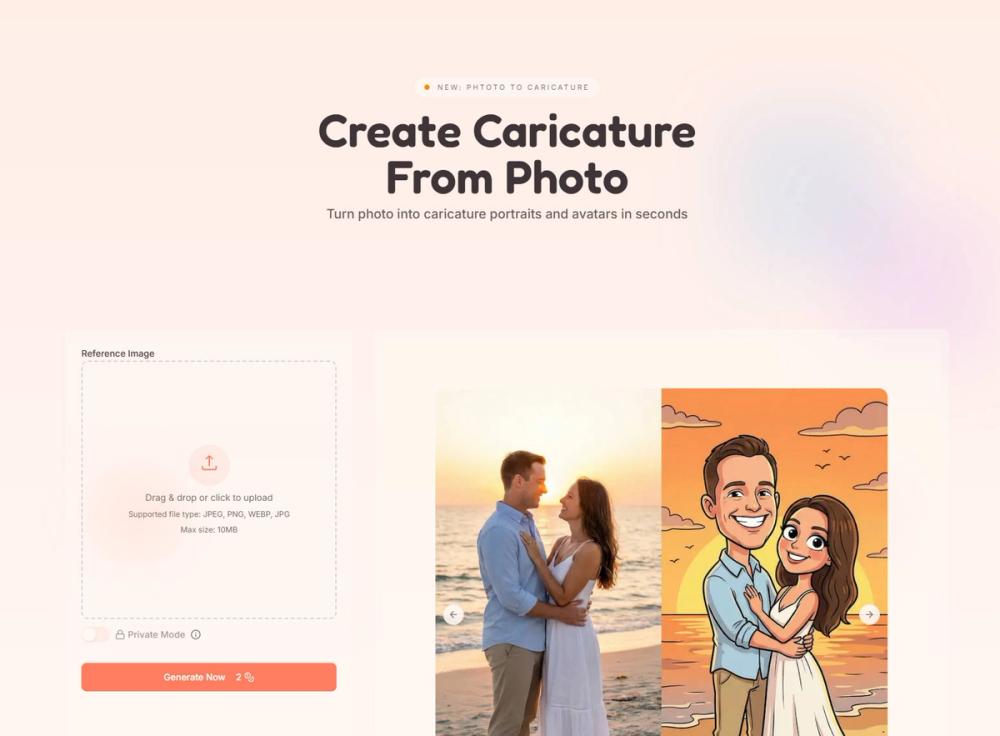
CreateCaricature is an online AI caricature generator.
Want a profile picture that stands out—or a unique gift that actually feels personal? CreateCaricature makes it easy: upload a clear selfie, choose a style (Cartoon, line sketch, or 3D), then fine-tune how bold the exaggeration should be. In seconds, you’ll get a share-ready caricature that keeps your likeness while adding the fun. Download in HD for avatars, prints, and gifts. Use it for branding and content too. And if privacy matters, enable Private Mode—your photos and results aren’t published.
How do I create a caricature from a photo? Upload a clear selfie, pick a style, click Generate, then tweak exaggeration if needed.
Is it free to try? Yes—there’s a free plan and no credit card is required to start.
Can I use it for social media avatars? Absolutely. Generate and download in HD for profile pictures and posts.
Can I control how exaggerated it looks? Yes, you can adjust the exaggeration level from subtle to bold.
Can I use the results commercially? Yes—use caricatures for branding, marketing, and content creation.
Are my photos private? Private Mode is available, and the site states your images aren’t published.